Run the day's work from one link.
Owners schedule the work. Crews pick it up. Customers book themselves in. The code on your truck brings the next one. And every job you get paid for lands in QuickBooks on its own.
Organization, convenience, and new work. One system.
The week stops living in your head
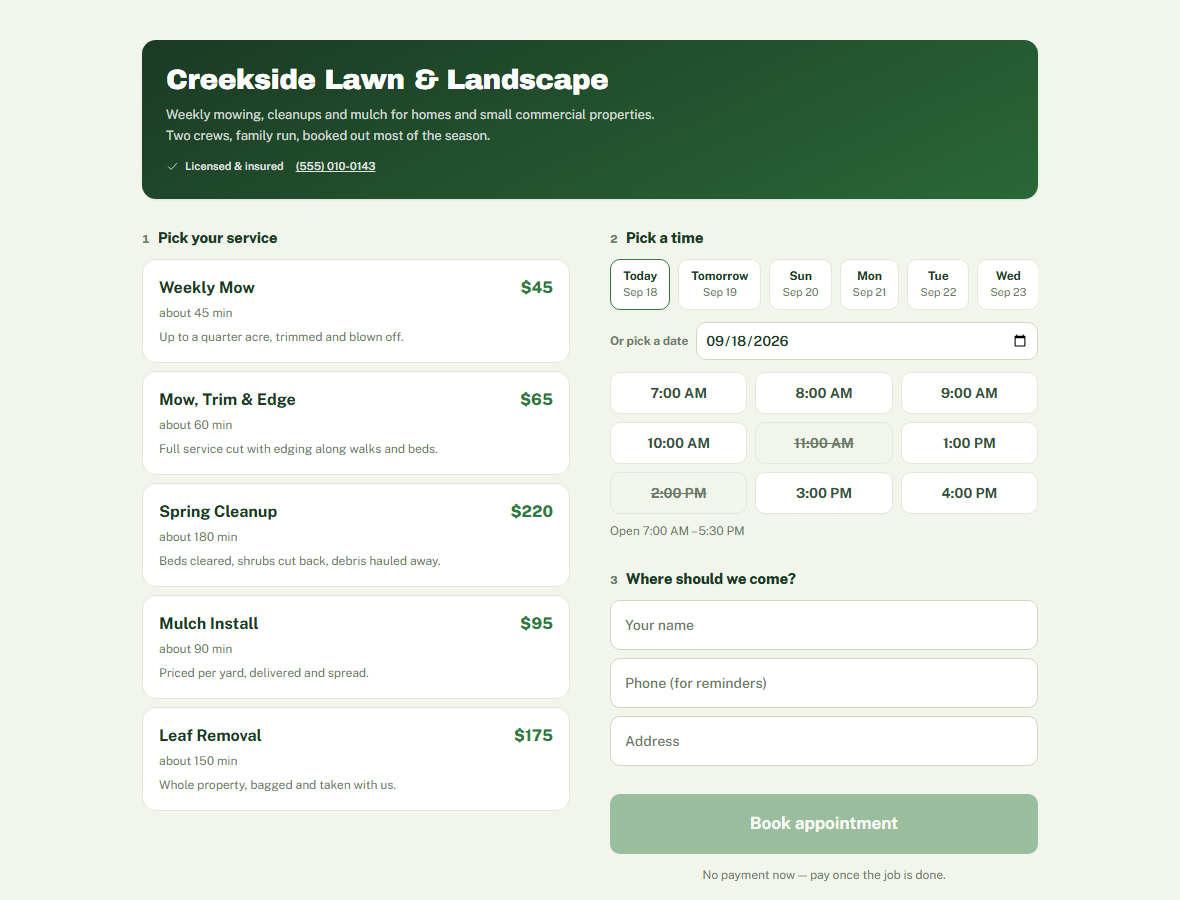
Customers book themselves in
Work arrives on the days nobody calls
A scheduler organizes the work you already have. A booking widget serves the customer who already found you. Neither one goes looking for the next customer, which is why most operators end up paying for software, a booking page and advertising separately. On JobRail they are the same thing: the booking page that runs your week is also what is bringing the work in, and that last part costs nothing per job.
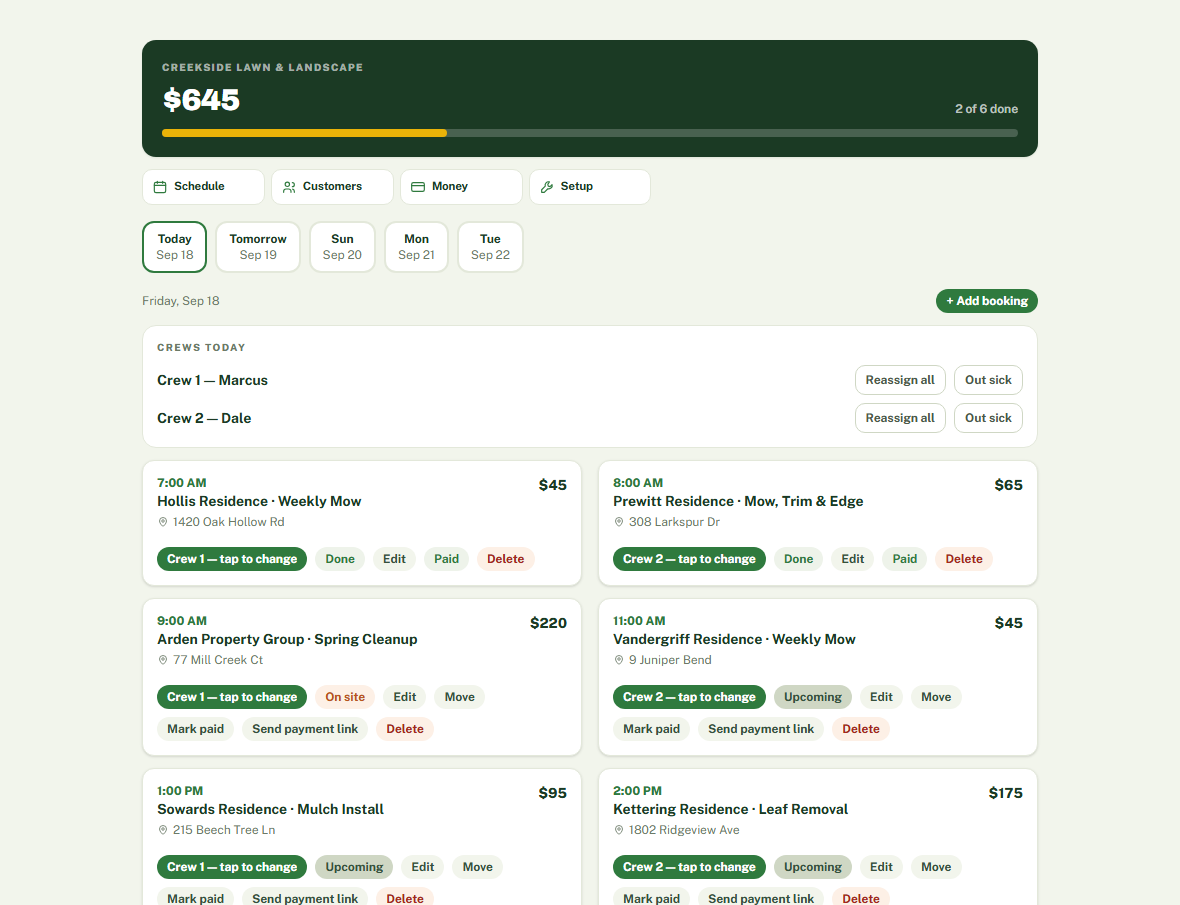
One schedule everyone works from
Each crew member gets their own link
Paid straight to your bank
A booking link that brings in work
Every business on JobRail keeps its own Stripe account.
Customers pay the business directly. The money never passes through us, and there's no percentage taken off the top of a job.
Your books fill themselves in.
Every job you get paid for, every invoice that clears, every fuel and supply receipt you log: JobRail sends it to QuickBooks for you. No typing the week in twice on a Sunday night. No shoebox of receipts in April. Your accountant opens QuickBooks and the month's sales and spending are already there.
And because the books are current, the question that matters has an answer on any given Tuesday: is this business actually making money?
- Paid jobs and paid invoices go in as sales, on the day the money came in, with the exact sales tax you charged
- Fuel, supplies and every other expense land in the QuickBooks accounts you pick, sorted the way your accountant wants them
- New customers are added to QuickBooks the first time they pay
- It runs every night on its own, or the moment you press Sync now
- It never changes or deletes anything in your books. If a job changes after it's gone in, JobRail tells you instead of guessing
- Already keep QuickBooks? Pick the day it starts, so nothing you typed in yourself goes in twice
Connect it once from your dashboard. It takes a couple of minutes, and then it runs itself.
This is the whole thing.
Your whole day on one screen
What your customer sees
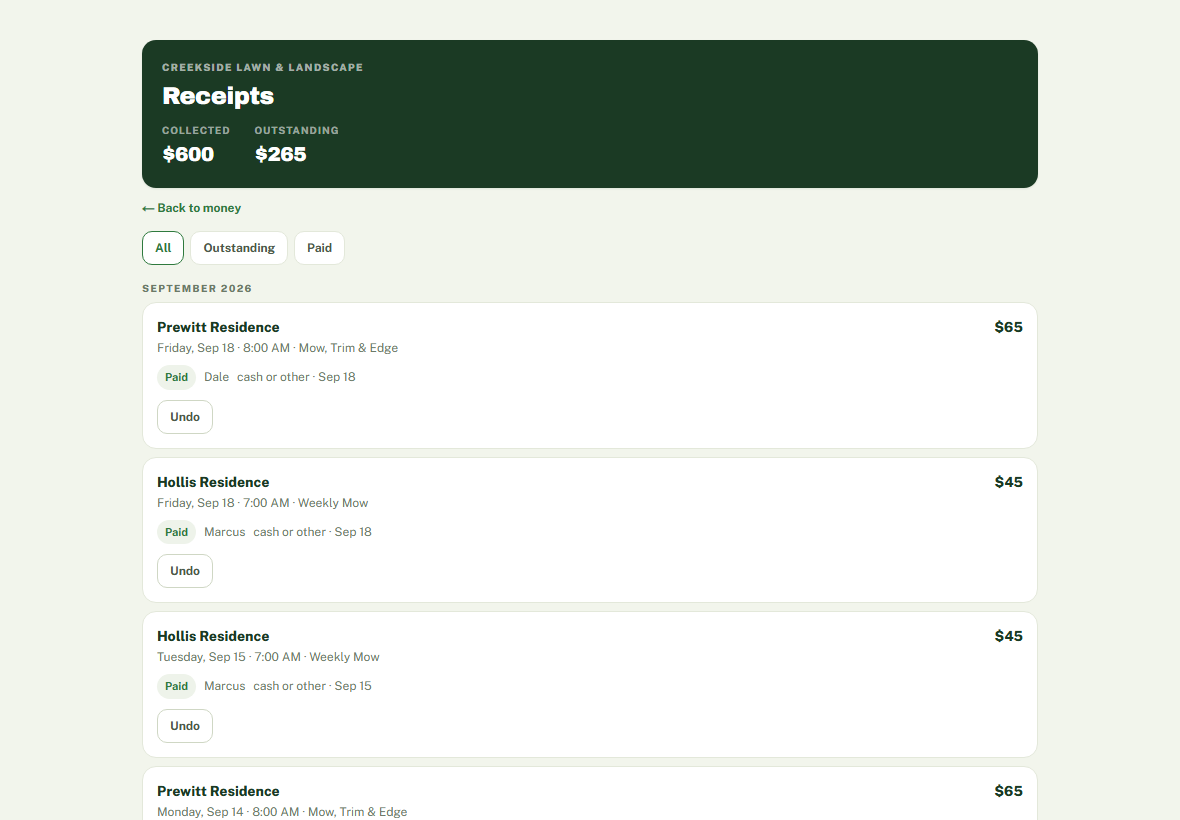
Who has paid, and who hasn't
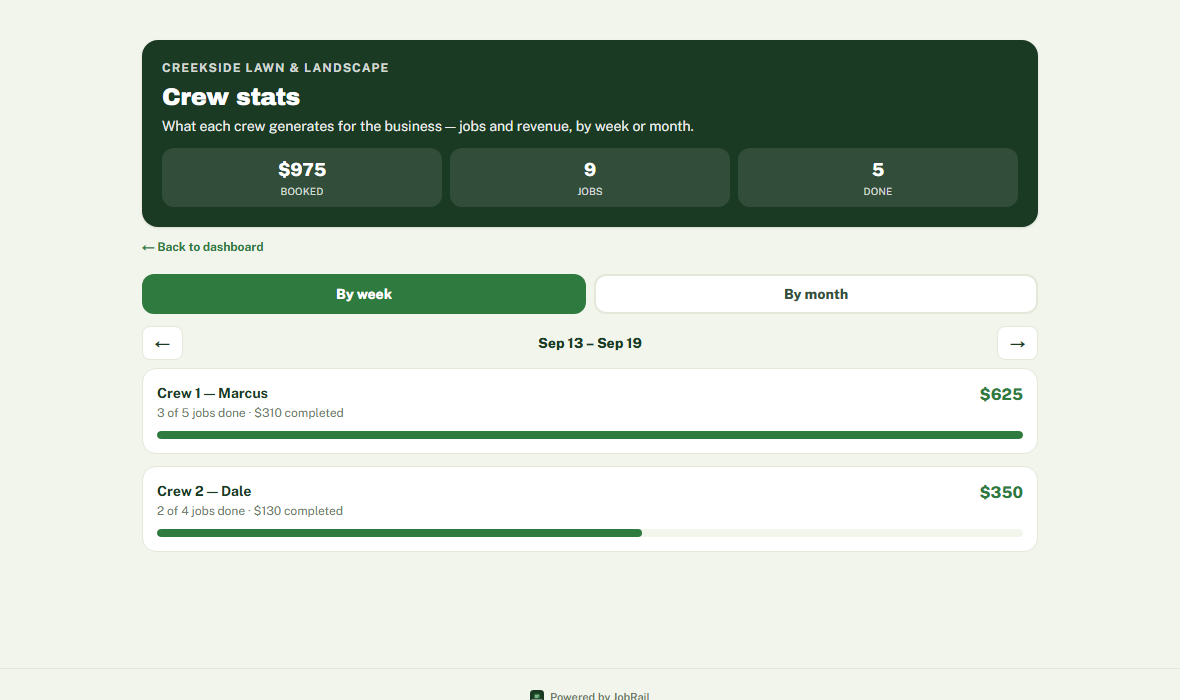
What each person brought in
Your truck is already driving past your next customer.
Views a day for a wrapped work vehicle in a city, per the Outdoor Advertising Association of America. A code on a truck door in a smaller town is a fraction of that, but it's a fraction of a very large number.
Of drivers say they notice advertising on vehicles, per the American Trucking Association. Sitting at a light is the one moment people read whatever is in front of them.
A single extra booking a month more than covers the $75. Anything the decal brings in after that is work you didn't pay to advertise for.
A phone number on a door asks someone to remember it, then call you during working hours, probably while you're under a car and can't answer. A QR code asks them to point a camera at it. That is the whole difference: one of those things happens and the other mostly doesn't.
Every scan lands on your booking page, at any hour, on a Sunday, from the parking space behind you. They pick a service, pick a time you're actually free, and the job is on your schedule before you've finished the one you're on.
Three hundred a day is a guess, and a conservative one for a vehicle that spends its day in traffic and customer driveways. Change it to whatever matches your route. Six stickers don't multiply that by six, and nor do two magnets double it — the same people walk past either way. More of them just means whichever side someone is standing on has a code on it. We won't tell you how many of those scan and book, because that depends on your town, your prices and your work, and anyone quoting you a number for it is making it up. The figure worth checking is the other one: at $75 a month, a single extra job covers it.
What it costs.
- Your booking page, your dashboard, and a link for every crew member
- Your choice of six 12"x12" QR stickers or two 12"x16" magnets
- Your packages, prices and hours loaded in before you start
- $15 a month for everyone after the first, owner included if you work jobs yourself
- Unlimited bookings, jobs, customers and photos
- No cut of your work: card payments settle straight to your bank